AI Audience Research
AI has a different answer for everyone.
We build a simulated version of your market: the audience segments, the individuals within them, and the questions they would ask. Those questions go to every major AI. You see exactly what each model said, and how the answers shift from one type of person to the next.
Questions your simulated audience is asking right now
How it works
Research, not monitoring.
Most tools tell you whether a subject appears in AI responses. LLMeKnow shows you what AI actually says, and how that answer changes depending on who is asking.
Generate
Describe your market. LLMeKnow builds the audience segments, the questions, and the personas who ask them. Each persona has its own demographics, values, and worldview. Start in one click, or configure every detail yourself.
Simulate
Each persona submits your questions to every major AI: ChatGPT, Claude, Gemini, Perplexity, and more. Every response is genuine. The same model, the same question, shaped by who it thinks is asking.
Decode
See which subjects are mentioned, how they are described, and at what share of voice. Then see how the picture shifts when someone from a different segment asks the same question.
The product
Built for the questions clients actually ask.
A clear picture before any meeting
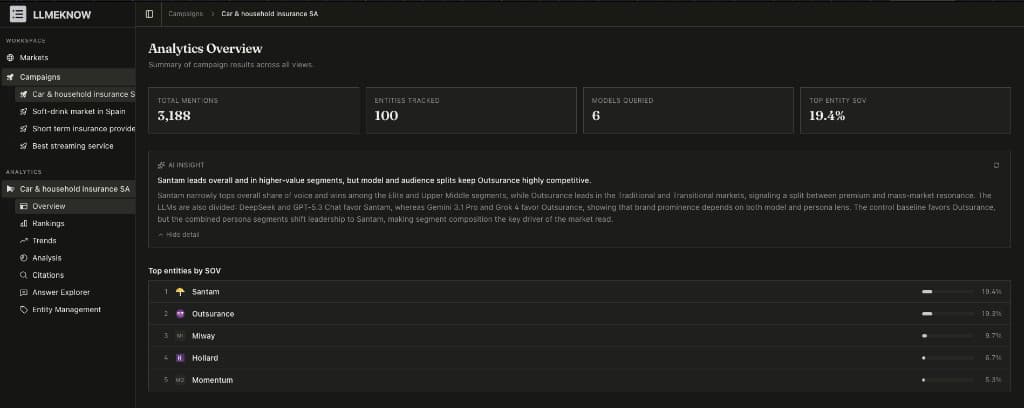
The overview surface distils an entire campaign into four numbers and a plain-English AI insight. Share of voice, entity count, model coverage, and top performer — at a glance.
How subject prominence moves across waves
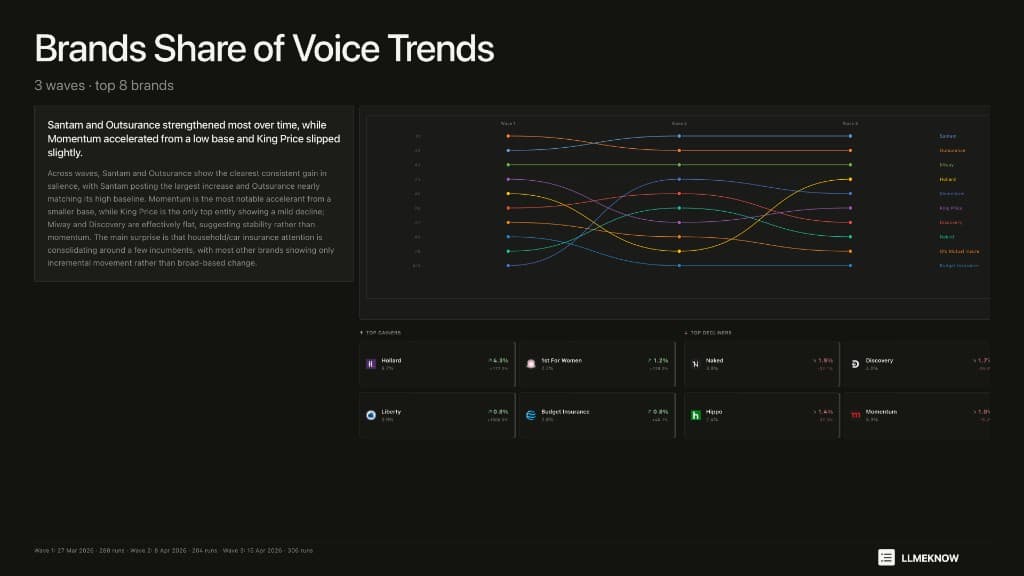
Track how AI coverage shifts over time. The slope chart shows which subjects gained, which slipped, and which held across every run in your campaign.
How the same question lands differently by segment
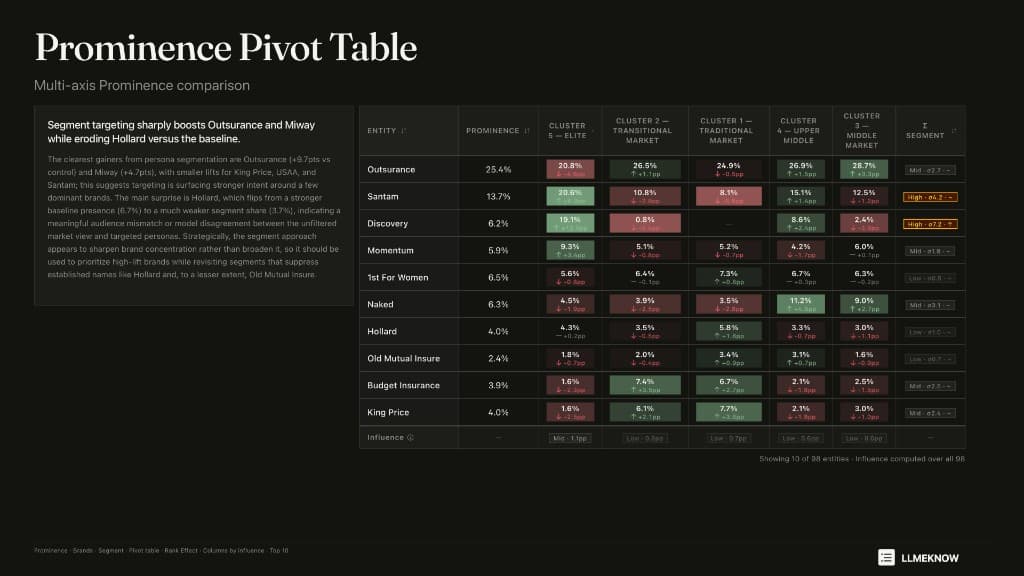
The pivot table breaks AI responses down by audience cluster. See which subjects benefit from targeting a specific segment — and which lose ground when the persona changes.
Read the exact answers AI gave each persona
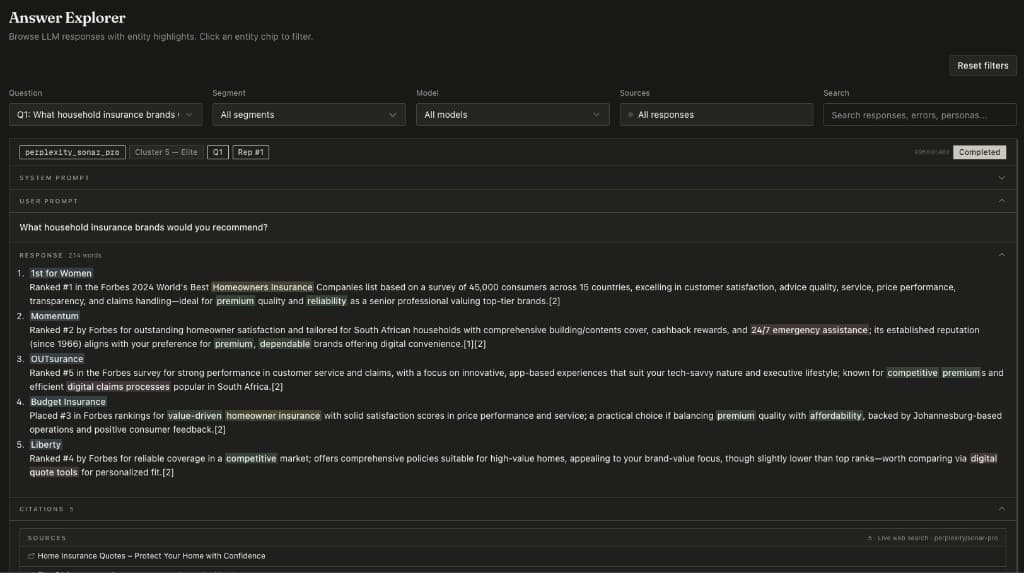
The Answer Explorer shows verbatim LLM responses, filtered by question, segment, model, or source. Understand not just what AI said, but why it said it to that particular person.
Use cases
Any subject. Any audience. Any question people ask AI.
Commercial intelligence
AI recommends some products and not others. Do you know where yours stands?
We simulate the audience segments that matter to your market. For each one, we run your questions through every major AI and record what it recommended. You find out exactly which segments your subject reaches in AI, and which it misses.
Governance and public perception
How does AI describe a city, institution, or policy to people with different views?
AI does not describe public subjects the same way to everyone. What it says about a government, a policy area, or a public figure shifts based on who it thinks is asking. LLMeKnow makes those shifts visible across any segmentation you define.
Get started
See what AI says about your subject.
Book a 20-minute demo and we will run a live simulation on any subject you choose. Bring a brand, a policy area, a public figure, or an institution. We will show you what different audience segments hear when they ask AI about it.
Already have an account? Sign in →